
Rental owners
Keep a record of who owns each rental, see where the owner's name, email and notes show up, and choose who on your team sees them.
- Concept
- Settings Rental Owners
- Web
- iOS
- Android
Updated October 29, 2026
How it works
Keep a record of who owns each rental in Settings, under Rental Owners. Use owners to filter rentals and include their name, email and notes in message and rental agreement templates.
What an owner record holds
A rental owner is a record of the person who owns one or more of your rentals: a name, an email and optional notes. The Rental Owners list shows each record's status:
- Internal owners are the ones you create. You can edit them.
- External owners come from a PMS or channel manager import. You can view them but not edit them in the app.
Where the owner is used
- A rental created in Rental Ninja needs an owner. The Select or Create an Owner field is required on its Details tab. Create Owner adds one without leaving the rental.
- Members allowed to see the owner's details find them under Owner & notes on the rental's Details tab. This includes the owner's name, email and Owner Notes.
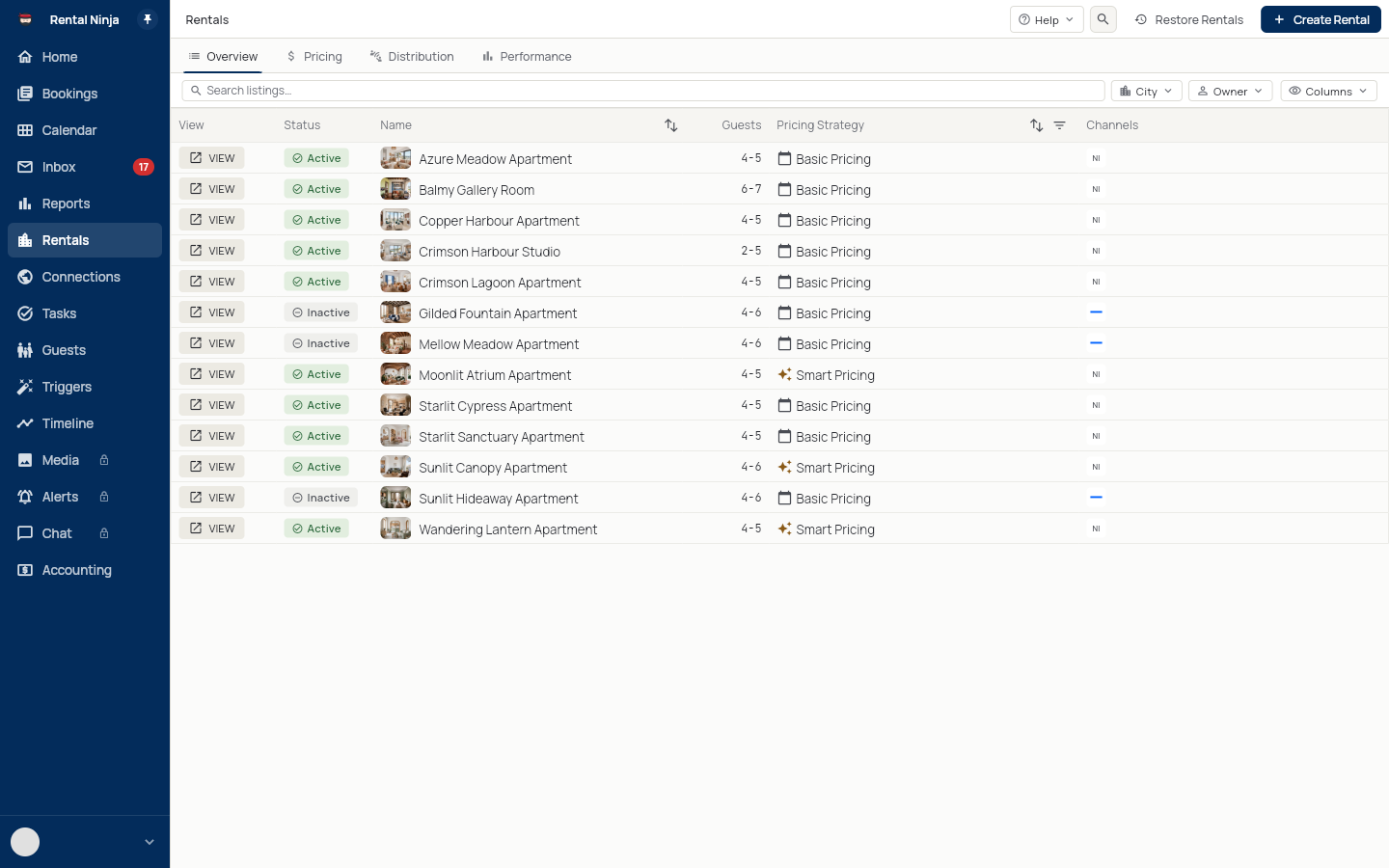
- Use the Owner filter in the rentals list when you have Owner information and there are owner names to filter by. Some rental pickers also offer Filter By Owner.
- Templates for messages and rental agreements can include the owner's name, email and notes.
When Rental Ninja fills in the contractor's name on an agreement, it uses the Contractor Name set on the rental's Legal page, not the owner record.
Statements and payouts use recipients you set up in Accounting, not owner records. An owner who gets paid needs a recipient too. When you create a statement, Filter By Owner helps you pick rentals that have a visible owner name.
The owner record isn't part of the rental's listing details for your channels. The Spain rental owner details on the rental's Legal page are separate licence fields, described in Location, licence and legal details.
Who can see and manage owners
Four permissions in each member's settings decide it (how to change them). With Edit rental setup, you can select or create an owner on a rental you can access and that is managed in Rental Ninja. The owners and details you see depend on your rental access and owner viewing permissions. Editing requires both Owner information and Owner email.
- Can manage rental owners gives access to Rental Owners. Find it under Settings to add and edit owners.
- Owner information shows owners' names: on the Details tab, in the owner column and in owner filters.
- Owner email shows owners' email addresses.
Why it works this way
An owner's name and email are personal data, and data protection law asks that personal data be limited to what each purpose needs. Separate Owner information and Owner email permissions let you show each member only what their work needs.
Source: eur-lex.europa.eu
On the Details tab, Owner Notes follow the name permission. You need Owner information to see them. Turning on either owner viewing permission in a member's settings also gives them access to the rentals section. These are the starting defaults by role:
| Role | Owner information | Owner email | Can manage rental owners |
|---|---|---|---|
| Team Owner, Administrator, Rental Manager | On | On | On |
| Rental Owner | On | On | Off |
| Checkin Agent | Off | On | Off |
| Cleaning Staff, Maintenance Staff, Member (Lowest Permissions) | Off | Off | Off |
Owners from your PMS
Smily can set the owner when it syncs a rental. Channel manager imports can also supply an owner. When Smily sends changed owner details with a name and email, Rental Ninja links the rental to a matching owner record, creating one if needed. If either is missing, the sync leaves the rental without an owner record. The sync doesn't delete the old record.
Delete an owner
The Team Owner and administrators can use Delete in the owner's form. It is available only on Internal owners. Confirm with Yes, Delete.
Rental Ninja refuses deletion while any rental that hasn't been deleted still uses the owner. The app then shows only Error found. If you manage those rentals in Rental Ninja, pick another owner on them first.
Set it up
- In the Rental Ninja app, go to Settings, then Rental Owners. You need Can manage rental owners.
- Select Add Rental Owner.
- Enter a name of at least 2 characters and a valid email address. Add Notes if your team needs them.
- Select Save.
- Go to Rentals and open a rental managed in Rental Ninja. You need Edit rental setup.
- Open General.
- On the Details tab, pick the owner in Select or Create an Owner.
- Make sure the other fields on the Details tab are valid, including the rental name, type and surface.
- Select Save.
Good to know
- Adding an owner record does not create a user account, invite that person to your team or give them access to Rental Ninja. To let an owner sign in, give them access as a team member with the Rental Owner role and select the rentals they may access. The owner record does not select those rentals for them.
- External owners come from your PMS or a channel manager import. They are read-only here: change them there.
- The rentals list shows an owner column on extra-large screens. You need Owner information to see it.
- A sent message or agreement can show owner details to its recipient, including a guest. Message template previews filter owner details according to the viewer's rental access and permissions. There is no placeholder for an owner's phone.
- Apps branded for a partner don't have the Rental Owners settings page.
- Rental Ninja doesn't import owner records from Smoobu or Tokeet.
- On iOS and Android, Delete appears in the owner form's action menu only after you change the form and it is valid. You don't need to save the change before deleting.
FAQ
Why can't I edit an owner?
Owners marked External come from your PMS or from a channel manager import. They are read-only in Rental Ninja. Change their details at the source. To edit an Internal owner, you need both Owner information and Owner email.Why can't I delete an owner?
You can't delete an owner still assigned to a rental that hasn't been deleted. The app shows Error found. If you manage those rentals in Rental Ninja, pick another owner on them first. Delete shows to the Team Owner and administrators, on Internal owners only. On iOS and Android, the form must have a change and be valid for Delete to appear.Are statements sent to the rental owner?
Not from the rental owner record. When you send a statement, Rental Ninja suggests email addresses from the statement's recipients. Add the owner as a recipient in Accounting.Can a cleaner see who owns a rental?
Not by default. Owner information and Owner email start off for Cleaning Staff, Maintenance Staff and Member. You can turn them on in that member's permissions.Is the owner sent to Airbnb or Booking.com?
The owner record isn't part of the rental's listing details for those channels. For Spanish licence information, use the separate fields on the rental's Legal page.Did this solve it?
Thanks. Glad it helped.
Sorry about that. Ninja Agent can answer from this article, or you can write to support.