
The inbox
Find guest conversations, understand the filters, and keep track of unread and archived threads.
- Concept
- Inbox
- Web
- iOS
- Android
Updated November 6, 2026
How it works
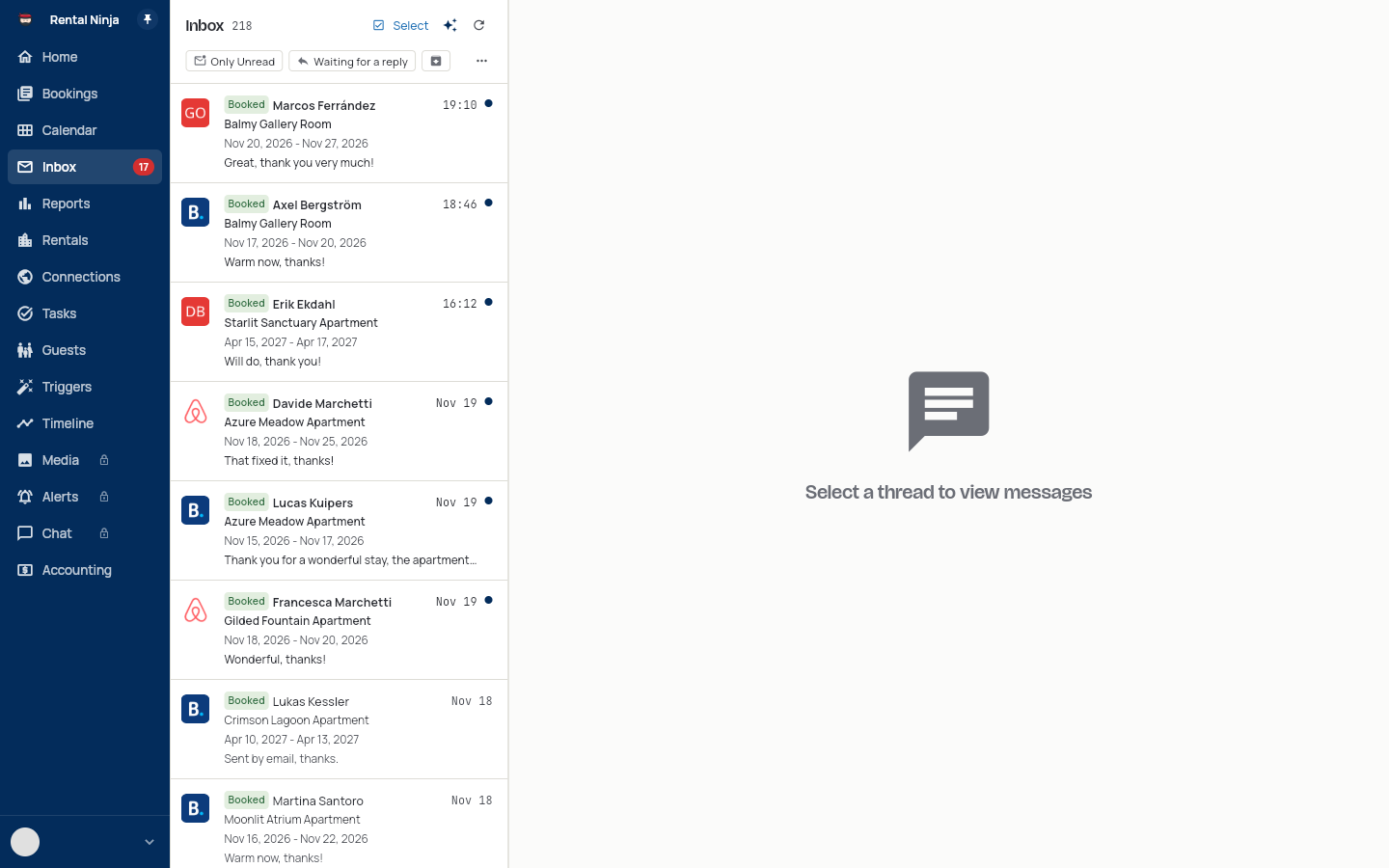
Find guest conversations and keep track of unread and archived threads in Inbox. Conversations are grouped by booking. Open a conversation to read its history.
Who can use it
The Inbox menu is available to teams with inbox support. Your account also needs permission to access it.
Sending guest replies requires a separate permission. You also need access to the booking. The booking's rental must support inbox replies. For a new reply, the booking's provider must also support replies in the inbox.
Your rental access also limits which conversations appear in your list.
What appears in the list
By default, the inbox shows conversations with guest-message activity.
The list puts the latest qualifying activity first. Normally that is the latest guest message, not the booking's creation date or arrival date.
Turn on Show automated to include conversations containing automatic messages or drafts without a guest reply. This also changes the activity used for sorting: sent messages from either side count.
Use the filters
- Only Unread filters for conversations you have not read since their latest qualifying activity.
- Waiting for a reply looks for guest messages from the past 7 days without a qualifying reply. Rental Ninja’s automatic notifications and messages sent by your automations do not count as replies. The booking’s check-out date must be today or later. Reading a conversation does not count as replying.
- Only Archived switches to archived conversations. Turn it off to return to the active list.
- Show automated includes conversations without a guest reply when Waiting for a reply is off.
- The rental filter narrows the list to the properties you choose from those you can access.
These filters work together. If you turn on Waiting for a reply, Show automated still changes the sort order but does not add conversations without a guest message.
Read and archive
Opening an inbox conversation marks it read for you. Read status is personal: it does not mark the conversation read for your teammates.
Archiving is shared across the team. It files the conversation away rather than deleting its messages. Use Only Archived to look for archived conversations. If a conversation is missing, turn off Waiting for a reply and check both the archived and active lists. If the conversation offers Unarchive, use it to move the conversation back to the active list. Other filters can still hide it.
Find a missing conversation
Before treating a thread as missing:
- Turn off Only Unread and Waiting for a reply.
- Check both the active list and Only Archived.
- Check the rental filter.
- Turn on Show automated to include conversations without a guest reply.
The wider guest communication flow
For the form, portal and arrival sequence, see From booking to arrival: the guest's steps. For invitations and reminders, see Send the check-in link and reminders.
For guests' phone and other contact options, see contacting you from the guest portal.
Good to know
If the menu or reply control is missing, ask an administrator to check your roles, permissions and rental access.
The list's filters decide which conversations appear; an absent thread does not necessarily mean its messages are missing. For example, an unread conversation can still be hidden because it is archived or belongs to a rental you have filtered out.
There is no channel filter in the central inbox.
Flagged delivery failures can also appear, even when the guest has not replied. A flagged failure counts at its recorded failure time.
A failed automatic message can leave a guest without arrival instructions. Failures flagged after sending therefore count as activity and can bring a conversation back to your attention.
With Show automated on, flagged failures still count as activity for sorting. Unsent drafts do not move a conversation to the top.
With Show automated on, a conversation containing only an unsent draft can appear under Only Unread, even though it is marked read.
A conversation containing only unsent drafts may disappear from both inbox views after archiving. If you have access to guest messages on the booking, open its Forum tab to find the conversation.
A later guest message or flagged failure can make an archived conversation active again. With Show automated on and Waiting for a reply off, later sent messages also count when deciding whether a conversation is still archived.
Bookings that checked out more than 90 days ago are excluded from the central inbox. More recent messages do not change that limit. The central list is not a complete archive of every past booking. If you have access to guest messages on an older booking, look in its Forum tab for the conversation.
Did this solve it?
Thanks. Glad it helped.
Sorry about that. Ninja Agent can answer from this article, or you can write to support.