
Disconnect a rental from Google Travel
Remove one rental from Google Travel through its channel controls, then check its connection status.
- How-to
- Connections Channels
- Web
- All-in-One
Updated November 12, 2026
How it works
Disconnect a rental from Google Travel in Connections → Channels on the web. Use the Google Travel controls rather than deleting the rental when you want to remove this channel alone.
Why it works this way
Deleting a rental is a rental-wide operation, not a channel-specific disconnection. Use the Google Travel controls when you want to keep managing the rental and its other channels.
Only for All-in-One
Before you disconnect
Your team needs the built-in channel manager enabled to open the channel controls. Your company profile must be complete. Your team must be verified. Your team needs an active subscription.
If you’re not a team owner or admin, you need permission to open Connections.
Review upcoming stays before disconnecting. Arrange any handover separately.
Set it up
- Open Connections in the web version of Rental Ninja.
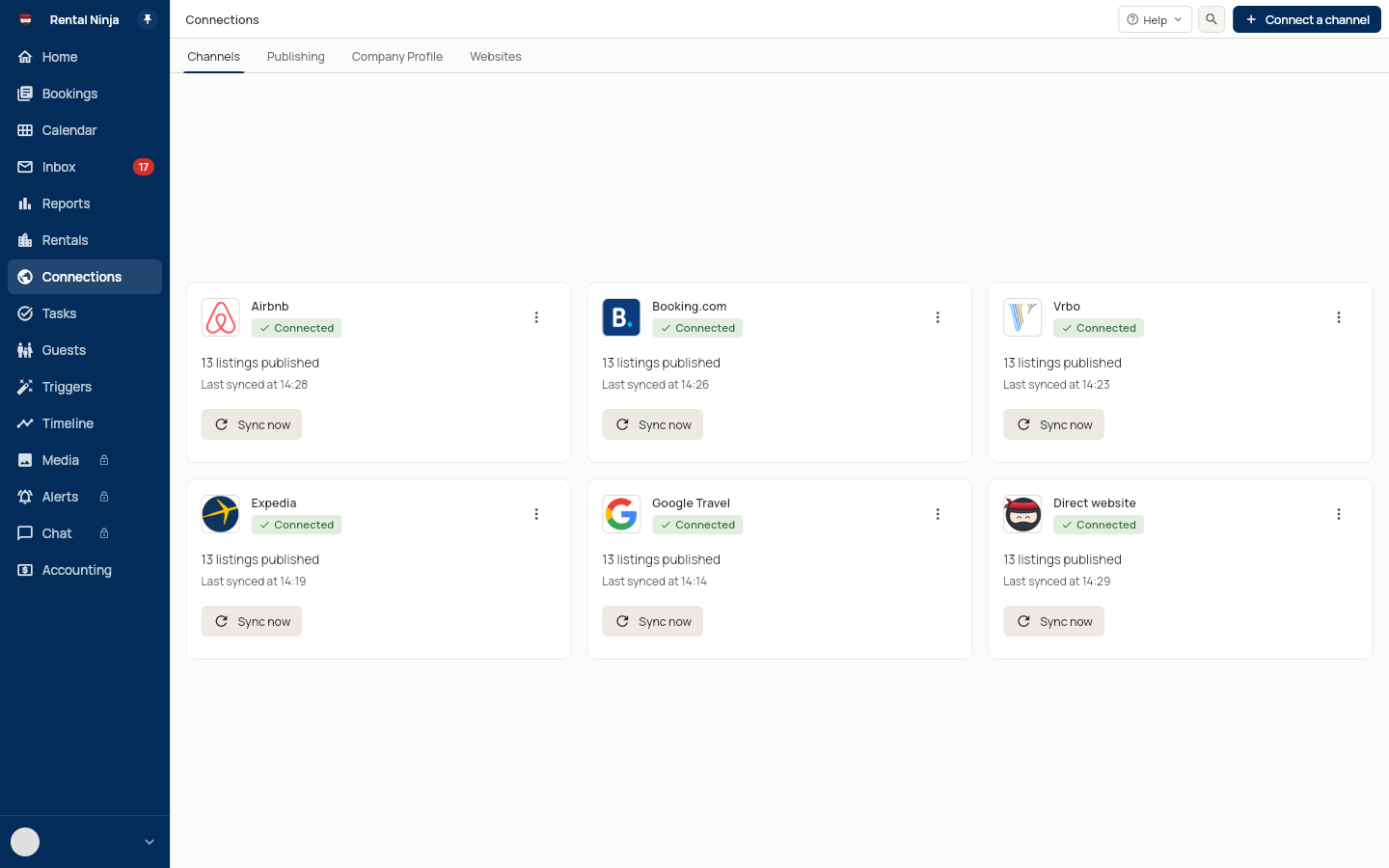
- Select Channels.
- In the channel manager, open "Google".
- Search for the rental you want to disconnect.
- Select "Manage" for that rental.
- Select "Disconnect".
- Confirm with "Yes, disconnect".
Check afterwards
Use the refresh and status checks to check the connection information in Rental Ninja. Check the public Google Travel listing too. A saved connection status does not tell you whether the public listing has disappeared.
For the wider scope of this channel, see Google Travel.
Good to know
On iOS and Android, Channels asks you to open Rental Ninja in a web browser. You can also open the channel screen in the macOS app.
See company details and verification if verification is blocking access. For access permissions, see who can open Connections.
If you need to cancel a stay, see Cancel a booking.
If you also intend to remove the rental from Rental Ninja, read Delete or restore a rental before doing so.
Did this solve it?
Thanks. Glad it helped.
Sorry about that. Ninja Agent can answer from this article, or you can write to support.