
How the channel manager works
What Rental Ninja sends to your channels and receives from them, when each update runs, and who can open Connections.
- Concept
- Connections
- Web
- iOS
- Android
Updated October 29, 2026
How it works
Only for All-in-One
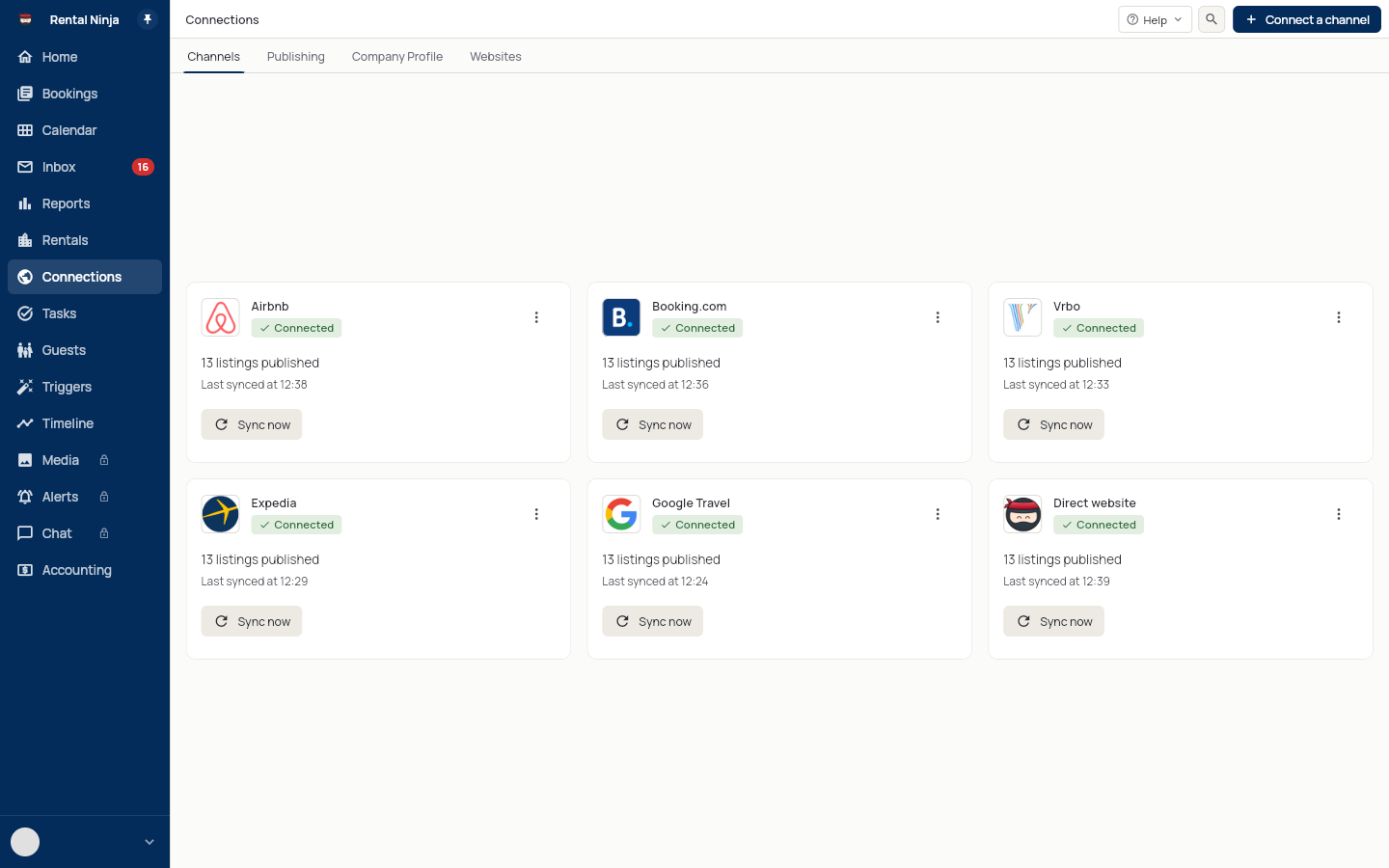
In Connections, you connect your rentals to Airbnb, Booking.com, Vrbo and other channels. Rental Ninja sends your prices, availability and rental details to the channel manager. Bookings, requests and supported guest messages can come back the same way.
Publishing a rental in Rental Ninja makes it eligible to sync with the channel manager (Publish a rental on channels). You then connect and publish it on each channel; each one has its own article, such as Airbnb and Booking.com.
What goes out and what comes back
Only for All-in-One
| Direction | What it carries | |
|---|---|---|
| Prices | Out | The nightly price and extra guest price of each date, and your long-stay and last-minute discounts. How rates and availability work has the detail. |
| Availability | Out | Whether each date is open, whether guests can check in or out, and usually its minimum stay. It can also include a maximum stay based on your setting. Confirmed bookings and blocks close their nights, and so do dates beyond your Availability Window. |
| Content | Out | The name, location, photos, descriptions, amenities and fees, among others. How a rental is set up lists what is sent and what stays in Rental Ninja. |
| Bookings | In | Confirmed bookings, requests to book, cancellations and enquiries reported by the channel manager. |
| Messages | In and out | Guest messages reach your inbox as the channel manager reports them. For eligible Airbnb, Booking.com, Vrbo and Expedia bookings, Rental Ninja can send your reply through channel messaging. The channel can refuse a reply. |
You can accept or decline an eligible request to book from Rental Ninja.
When updates run
Only for All-in-One
- Queued content, photo, fee, price and discount updates after an edit use a 1-minute delay.
Why it works this way
Rental Ninja prepares the nightly prices and sends them to the channel manager. The channel still has to apply the update before guests can see the new price.
- A booking confirmation, cancellation or date change queues an availability update for the channel manager with a 1-second delay. Check your channels to confirm the update is live.
- Regular updates. For each team in turn, Rental Ninja sends details and availability for published rentals ready to sync. Prices and discounts depend on your pricing settings. Rental Ninja also rereads bookings and enquiries.
- Every 3 hours. Rental Ninja schedules a refresh of listing statuses and reported errors. These can also refresh during regular updates. See where to check Status and Distribution Info.
- Daily, Rental Ninja asks the channel manager to hide rentals that should no longer be published and turns off publishing here. This can include rentals still published after your subscription ends.
The channel manager can report bookings and guest messages between regular updates.
Who can open Connections
Only for All-in-One
Connections shows to the Team Owner, Administrators and members who have Access connections (Roles and permissions). Publishing and unpublishing a rental need Access connections as well, even for an administrator.
The Channels tab opens in a browser or in the Mac app.
All-in-One and Standalone PMS
Only for All-in-One
The Growth Plan, Pro Connected Plan and Smart Plan include the channel manager. When you create a rental on one of these plans, Rental Ninja turns publishing on by default. The rental still needs to be ready to sync, and you still connect and publish it on each channel (Create a rental, Publish a rental on channels). On the Pro Plan you publish each rental yourself, and that may cost extra. Contact our team for pricing details. Publish a rental on channels explains how.
Why it works this way
Restoring a rental on the Pro Plan does not turn publishing on automatically. You choose which rentals to send to the channel manager (Publish a rental on channels).
Only for Standalone PMS
With a Standalone PMS, your PMS stays in charge of the rentals it syncs. Where Publishing is available, it lists PMS-managed rentals as Not Publishable. Rental Ninja doesn't send those rentals to your channels. Their bookings reach Rental Ninja through the PMS sync. If your team has access to the built-in channel manager, you can publish a rental you create in Rental Ninja (Publish a rental on channels).
Good to know
Only for All-in-One
- Rental details depend on the channel and its settings. Check the listing on the channel after a change.
- Prices are left out while Pause Rate Sync is on. Availability still goes out. Regular updates omit Rental Ninja discounts for a rental that uses an external pricing tool. For a rental using an external pricing tool, the availability update normally leaves out minimum and maximum stay. Other settings can affect the stay limits sent.
- For other channels, your replies go by email if the booking has an email address (Other channels). Replies addressed to an email are sent by email, including for Airbnb, Booking.com, Vrbo and Expedia.
- The booking form lets you change the dates and guest count of a Vrbo booking and move a Booking.com booking to another rental in the same location. Inform the guest directly when you change the rental. The available changes depend on the booking's source. For edits that need the channel manager's approval, Rental Ninja asks for it before saving. If it refuses, the booking is not changed.
- Automatic booking and guest message reports require an active subscription. When subscription cancellation takes effect, Rental Ninja asks the channel manager to stop sending those reports. Check your channels directly for any new activity after your subscription ends.
- The menu is missing on some partner brands and for some teams that use an external channel manager.
- If the team is not verified, the owner sees a verification prompt instead of the tabs. The owner needs to verify the team. Other members are asked to contact the owner.
- After verification, a team without channel access sees a message asking for an initial setup call instead of the tabs. The button says Book a meeting now.
- The channel manager account of your team is created only once your Company Profile is complete (Company details and verification). If the account has not been created, the Channels tab says the channel manager is not available until a property is ready to publish.
- In the phone app, the Channels tab asks you to use a browser.
FAQ
I changed a price. Why does the channel still show the old one?
For a published rental with rates you manage in Rental Ninja, adding, changing or deleting a season, or setting a price for a date, queues a price update to the channel manager with a 1-minute delay. Pause Rate Sync skips price updates while the pause is in effect. Regular updates can send prices again after the pause ends. If you use an external pricing tool, make rate changes there. Price updates usually reach Airbnb, Booking.com, Expedia, Agoda and Vrbo within a few minutes. The channel manager can take up to 5 minutes to send an update to Vrbo after receiving the prices. Check the channel's dashboard first. Check the listing on the channel to confirm the new price is live.Do I have to do anything for bookings to arrive?
No manual import is needed for reports from the channel manager. Rental Ninja can receive confirmed bookings, requests to book, cancellations and enquiries. What comes through depends on your channel connection and the features it supports. Check the channel directly if an update is missing. This works only while your subscription is active.Why does Connections ask me to schedule a setup call?
Your team's channel access is not enabled yet. The screen shows Book a meeting now. The tabs open once your team is verified and channel access is enabled. Company details and verification explains the set-up call.Why don't I see Connections?
Connections shows to the Team Owner, Administrators and members who have Access connections. It is also missing on some partner brands and for some teams that use an external channel manager.What should I expect to happen to my listings when my subscription ends?
After your subscription ends, Rental Ninja may ask the channel manager to hide rentals that are still published. That request does not delete your listings or cancel upcoming reservations. If you want to stop taking new bookings, close sales or deactivate each listing on Airbnb, Booking.com and your other channels before your subscription ends. Check each channel's dashboard to confirm the listing is no longer bookable.Did this solve it?
Thanks. Glad it helped.
Sorry about that. Ninja Agent can answer from this article, or you can write to support.